
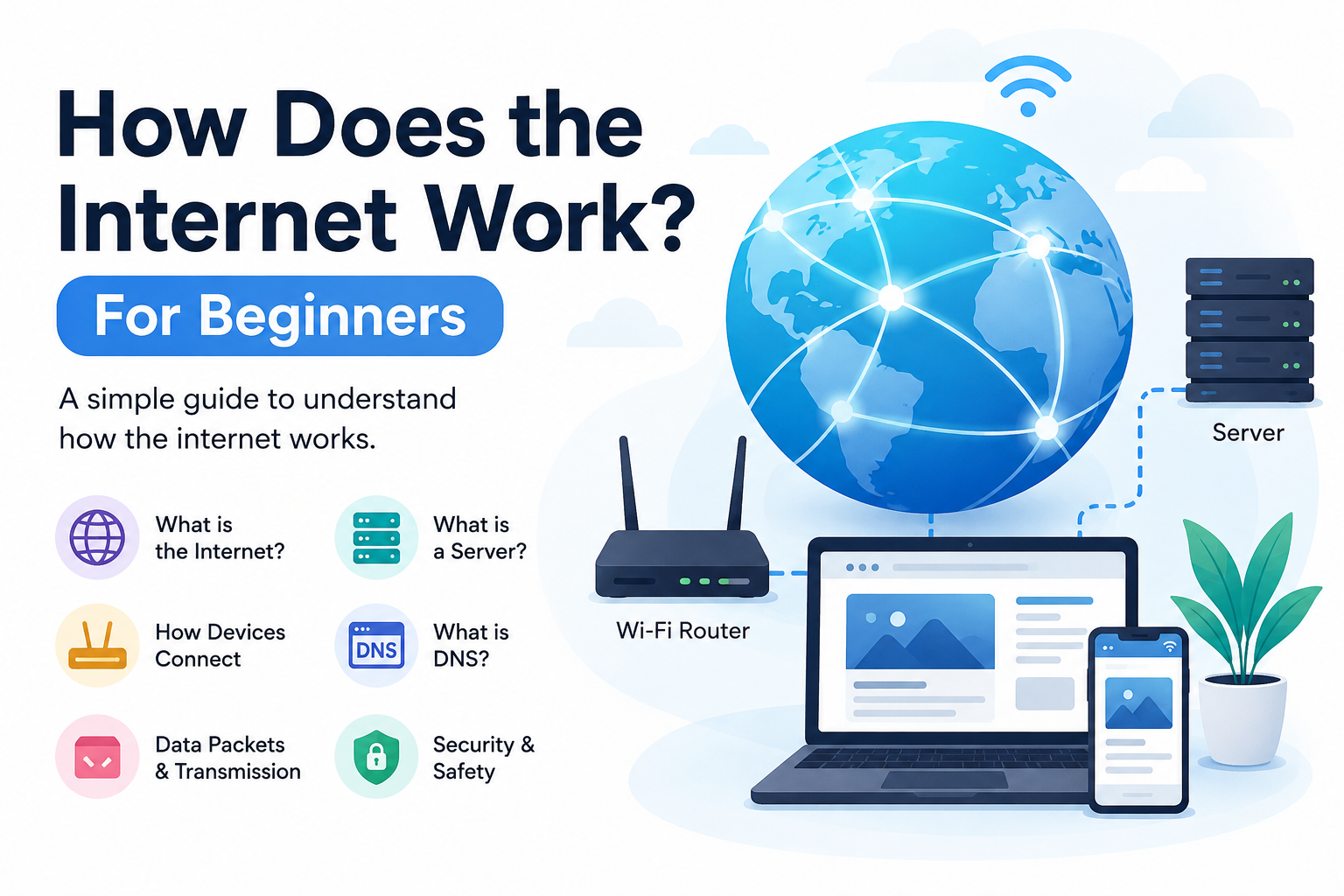
When I use the internet every day, I rarely stop to think about what is actually happening behind the screen. I can open a website, send a message, watch a video, upload a photo, or search for information within seconds. It all feels simple from the user’s side. However, behind every click, there is a large system of computers, networks, servers, cables, software, and communication rules working together.
In my view, understanding how the internet works does not require advanced technical knowledge. Once we understand a few basic ideas, the whole process becomes much easier to understand. In this article, I will explain how the internet works for beginners in simple language.
What Is the Internet?
The internet is a huge network that connects computers and other devices around the world. The important thing to understand is that the internet is not one single machine or one building. It is a network of millions of networks connected together.
When my phone connects to WiFi and I open a website, my phone becomes part of this larger network. The same basic idea applies to computers, tablets, smart TVs, servers, and many other connected devices.
The internet allows these devices to communicate and exchange information. This information can include text, images, videos, audio, documents, and many other types of data.
I like to think of the internet as a worldwide road system. Roads connect cities, towns, and buildings. In a similar way, internet networks connect devices and allow information to travel from one location to another.
How Does My Device Connect to the Internet?
Before I can visit a website, my device needs an internet connection. Usually, this happens through an internet service provider, commonly called an ISP.
An ISP provides the connection that allows my device to communicate with other networks on the internet. Depending on where I live, I might connect through fiber, cable, mobile data, DSL, satellite, or another technology.
For example, when I connect my laptop to home WiFi, the laptop communicates with my router. The router communicates with my internet service provider, and the ISP connects my network to the wider internet.
So the basic path looks something like this:
My device connects to the router.
The router connects to the ISP.
The ISP connects to other networks.
Those networks help deliver my request to the correct destination.
This entire process usually happens very quickly.
What Is a Router?
A router is an important device in most home networks. I think of a router as a traffic manager for internet data.
When several devices are connected to my home network, such as a phone, laptop, television, and tablet, the router helps direct data to the correct device.
The router also helps connect my local network to the internet. When I request information from a website, the router forwards that request toward its destination.
Routers are not limited to homes. Large networks also use sophisticated routers to move huge amounts of data between different parts of the internet.
What Is an IP Address?
Every device communicating over the internet needs an address so that information can reach the correct destination. This address is called an IP address.
IP stands for Internet Protocol. An IP address identifies a device or network interface in a particular network.
There are two major versions of IP commonly discussed: IPv4 and IPv6.
An IPv4 address looks something like 192.168.1.10. IPv6 addresses use a much larger addressing system because the number of internet connected devices has grown enormously.
I think of an IP address like a postal address. If someone wants to send a package to my house, they need an address. Similarly, internet data needs addressing information so networks know where it should go.
What Is DNS?
One of the most useful systems on the internet is DNS, which stands for Domain Name System.
Computers communicate using IP addresses, but remembering long numerical addresses would be difficult for humans. Instead, we use domain names such as example.com.
DNS works somewhat like the contacts list on my phone. I can save a person’s name instead of remembering their phone number. When I select their name, my phone finds the associated number.
DNS performs a similar job for websites. When I type a domain name into my browser, the DNS system helps find the IP address associated with that domain.
The browser can then use that information to contact the appropriate server.
What Happens When I Open a Website?
This is where everything starts coming together.
Suppose I open my browser and type a website address. The browser first needs to understand where that website is located.
If the address uses a domain name, DNS helps find the corresponding IP address. My device then sends a request through the router and internet networks toward the server hosting the website.
The server receives my request and sends the required information back.
My browser receives that information and turns it into the webpage I see on my screen.
This may sound like a long process, but modern networks can complete it very quickly.
What Is a Server?
A server is a computer system designed to provide services or resources to other computers.
When I visit a website, I am usually communicating with a server. The server might store the website’s files, images, databases, videos, or other information.
For example, when I visit a news website, the server may provide the webpage files and retrieve the latest articles from a database.
Servers can be extremely powerful machines. Large online services may operate thousands of servers across different locations around the world.
How Does Data Travel Across the Internet?
Another important question is how information physically moves from one place to another.
The internet depends on many forms of infrastructure. This includes fiber optic cables, copper cables, wireless connections, satellites, routers, switches, data centers, and other equipment.
A large amount of international internet traffic travels through undersea fiber optic cables. These cables connect different countries and continents.
Inside a network, data can pass through multiple routers before reaching its destination.
The interesting part is that data does not necessarily follow one fixed physical route every time. Networks can select different routes depending on availability, congestion, failures, and routing decisions.
This flexibility helps make the internet more reliable.
What Are Data Packets?
When I send information across the internet, the information is usually divided into smaller pieces called packets.
Instead of sending one huge block of information, a system breaks it into smaller units. These packets contain information that helps networks deliver them correctly.
Imagine sending a large book through the mail. Instead of putting the entire book into one enormous package, I could divide it into several smaller packages. Each package could have identifying information, and the receiver could put everything back together.
Internet communication works using a similar general concept.
When I watch a video or download a file, huge amounts of data are transferred in packets.
What Is HTTP and HTTPS?
When I visit a website, my browser and the web server need rules for communicating. HTTP is one of the important protocols used for this purpose.
HTTP stands for Hypertext Transfer Protocol.
HTTPS is the secure version of HTTP. The extra S stands for Secure.
HTTPS uses encryption to protect information exchanged between the browser and website. This is especially important when I enter sensitive information such as passwords or payment details.
When I see a padlock symbol in my browser, it generally indicates that the connection uses HTTPS, although that does not automatically mean every aspect of the website is trustworthy.
What Is a Web Browser?
A web browser is software that allows me to access websites.
Popular browsers include Chrome, Firefox, Edge, Safari, and others.
When I enter a website address, the browser communicates with the appropriate servers, receives information, and displays it in a format that I can understand.
Websites are commonly built using technologies such as HTML, CSS, and JavaScript.
HTML provides structure, CSS controls presentation, and JavaScript can add interactive behavior.
The browser processes these technologies and creates the webpage I see.
How Does Internet Speed Work?
Internet speed describes how quickly data can be transferred between devices and networks.
It is commonly measured in bits per second, such as megabits per second or gigabits per second.
For example, a connection advertised at 100 Mbps can theoretically transfer data at up to 100 megabits per second under suitable conditions.
However, the actual experience can depend on many factors. These can include network congestion, WiFi quality, server performance, distance, hardware, and the type of connection being used.
This is why two people with similar internet packages can sometimes experience different performance.
How Does WiFi Relate to the Internet?
Many beginners think WiFi and the internet are the same thing, but they are different.
WiFi is a wireless networking technology. It allows devices to communicate with a local network without using a physical cable.
The internet is the much larger global network connected through many different technologies.
I can have WiFi without having internet access. For example, my phone could connect to a router even if that router temporarily has no connection to an ISP.
So WiFi is a way of connecting devices locally, while the internet is the global network that those devices can access.
Is the Internet Secure?
The internet provides incredible opportunities, but it also has security risks.
Websites, companies, and users need to take steps to protect information. Security technologies such as encryption, authentication, firewalls, secure protocols, and access controls help reduce risks.
As a user, I should also follow basic security practices. I should use strong and unique passwords, enable two factor authentication when available, keep my software updated, and be careful with suspicious links and unexpected messages.
Understanding how the internet works also makes online security easier to understand because I can see how devices, websites, networks, and information are connected.
Why Is the Internet So Important?
The internet has changed almost every part of modern life.
I can use it for education, communication, entertainment, shopping, banking, business, research, remote work, and many other activities.
Students can access educational resources from around the world. Businesses can communicate with customers across different countries. Families can stay connected even when they live far apart.
In my opinion, one of the biggest advantages of the internet is the access to information it provides. A person with a basic internet connection can learn about subjects that might have been difficult to access in the past.
Final Thoughts
When I first think about the internet, it may seem like something mysterious that simply works whenever I open a website. But when I break it down, the basic process becomes much easier to understand.
My device connects to a network. The router sends my request toward my internet service provider. DNS can translate a website name into an IP address. Routers move packets through different networks. A server receives my request and sends data back. Finally, my browser processes that information and displays the result.
There are many advanced technologies working behind this process, but beginners do not need to understand everything at once.
The internet is essentially a massive communication system that allows devices around the world to exchange information. Once I understand devices, routers, IP addresses, DNS, servers, packets, and basic web protocols, the internet starts to feel much less complicated.
For me, that is the best way to learn technology: start with the basic idea, understand how the pieces connect, and then gradually explore the more advanced concepts.
