The internet has made our daily life much easier. I can shop online, read news, pay bills, download useful resources, communicate with people, and find almost any information within a few seconds. But there is also a serious problem that I think every internet user should understand. Not every website we visit is genuine.
Fake websites are becoming more difficult to recognize because scammers are getting better at copying the design of real websites. A fake website may look professional, use familiar logos, and even have a web address that looks almost identical to the real one. If we are not careful, we can accidentally share passwords, banking information, personal details, or payment information with criminals.
In my opinion, learning how to recognize fake websites is one of the simplest and most useful online safety skills. You do not need to be a computer expert. You just need to slow down, check a few important things, and avoid trusting a website only because it looks professional.
Check the Website Address Carefully
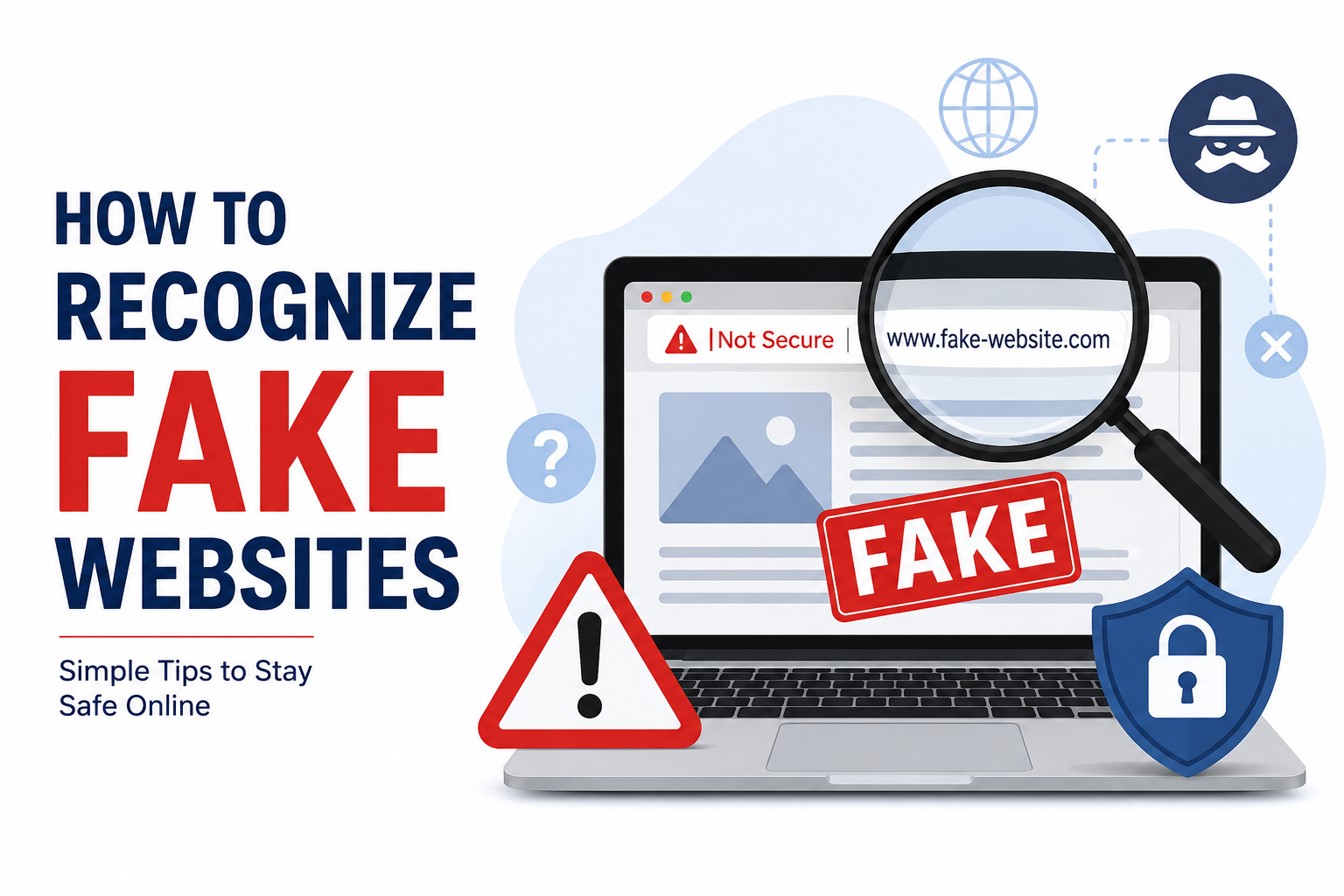
The first thing I check when visiting an unfamiliar website is the website address. This is one of the easiest ways to notice a suspicious website.
Scammers often create website addresses that look similar to legitimate websites. They may change one letter, add an extra word, use unusual spelling, or add a strange domain extension.
For example, a fake website may use an address that looks almost identical to the website you intended to visit. At first glance, you might not notice the difference.
I always recommend looking at the spelling of the domain name carefully. Do not just look at the logo or page design. The address in the browser is often more important.
If you receive a link through email, text message, or social media, I would also avoid clicking it immediately. Instead, type the official website address into your browser yourself or use a trusted search result.
Look for HTTPS
Another simple thing I check is whether the website uses HTTPS. You will usually see a small padlock icon near the website address when a connection is encrypted.
HTTPS is useful because it helps protect information while it travels between your browser and the website. However, there is something important to understand. HTTPS does not automatically mean that a website is legitimate.
Scammers can also use HTTPS certificates. This means a fake website can have the padlock icon too.
So, I treat HTTPS as one safety check rather than proof that a website is genuine. I still check the domain name, website content, contact information, and other warning signs.
Be Careful With Very Attractive Offers
One of the biggest warning signs of a fake website is an offer that seems too good to be true.
For example, imagine finding an expensive smartphone at an extremely low price from a website you have never heard of. The website may claim that the discount is available for only a few minutes.
This kind of pressure can make people act without thinking.
In my experience, I think it is better to pause whenever a website is pushing me to make a quick decision. Genuine businesses can offer discounts, but extremely unrealistic prices and aggressive urgency should make you more careful.
Before making a purchase, compare the price with several trusted websites. If the difference is enormous, investigate the seller before entering payment information.
Check the About and Contact Pages
A legitimate business usually provides information about who operates the website. Look for pages such as About Us, Contact Us, Customer Support, Shipping Information, and Return Policy.
A fake website may have these pages too, but the information can be vague, copied, or incomplete.
I like to check whether the company provides a real business address, working contact details, and useful customer support information.
If the only contact option is a random email address or a simple online form, I become more cautious, especially when the website is asking for payment.
You should also check whether the contact information makes sense for the business. A website claiming to be a large international company but providing very limited information deserves extra attention.
Look for Poor Grammar and Spelling
Poor grammar and strange wording can sometimes indicate that a website is fake.
Many scam websites are created quickly, and their owners may copy text from other websites or use automatic translation tools. You might notice unusual sentences, spelling mistakes, inconsistent capitalization, or confusing instructions.
Of course, genuine websites can also contain occasional mistakes. Therefore, I would not consider one spelling error enough to prove that a website is fake.
However, if a website has many obvious errors throughout its pages, combined with other warning signs, I would avoid trusting it.
Professional businesses usually make an effort to keep important customer facing information clear and accurate.
Check the Website Design
A fake website may copy the design of a real company, but sometimes there are noticeable differences.
Look carefully at the quality of images, menus, buttons, logos, and page layouts. Broken links, missing images, strange advertisements, or pages that do not work properly can be warning signs.
I also pay attention to whether different parts of the website look consistent. A website that has one professional looking homepage but poorly designed internal pages may deserve additional investigation.
Still, design alone is not enough. Some scammers create very attractive websites, while some legitimate small businesses have simple designs.
That is why I prefer to combine several checks instead of making a decision based on appearance alone.
Be Careful With Login Pages
Fake login pages are particularly dangerous because their main purpose is often to steal usernames and passwords.
You might receive a message saying that your account has been locked and that you need to log in immediately. The message then sends you to a website that looks exactly like a familiar service.
This is a common trick.
Whenever I need to log in to an important account, I prefer opening the official website or app directly instead of using a login link from an unexpected message.
This simple habit can reduce the chance of entering my password into a fake website.
Check the Privacy Policy and Terms
A privacy policy and terms page do not guarantee that a website is legitimate, but their quality can provide useful clues.
Read the pages briefly and see whether they actually explain how the website handles information, payments, cookies, accounts, and other important matters.
A suspicious website may have copied legal text that mentions a completely different company or contains unrelated information.
If the privacy policy refers to another business name, that would immediately make me question the website.
Search for Reviews and Complaints
Before purchasing something from an unfamiliar website, I think it is worth doing a quick search for reviews.
Search the website name along with words such as review, scam, complaint, or experience.
Do not rely on reviews published only on the website itself. Scammers can create fake reviews to make their businesses appear trustworthy.
Look for independent discussions and customer experiences. If many people report missing products, unauthorized charges, poor support, or other serious problems, I would avoid the website.
At the same time, remember that one negative review does not automatically mean a website is fraudulent. Look for patterns rather than isolated comments.
Do Not Trust Security Badges Blindly
Some websites display security badges, payment logos, awards, or trust symbols to appear more trustworthy.
These can be useful when they are genuine, but scammers can copy images easily.
If I see a security badge on an unfamiliar website, I do not treat it as proof of legitimacy. I focus more on the actual website address, company information, payment process, and reputation.
A picture of a security logo does not protect you if the website itself is fraudulent.
Be Careful With Payment Methods
Payment methods can also provide clues.
If an unfamiliar website demands payment through unusual methods, gift cards, cryptocurrency, direct bank transfers, or other methods that offer limited consumer protection, I would be extremely cautious.
Legitimate businesses may accept different payment methods, but a seller insisting on an unusual payment method can be a serious warning sign.
Before paying, check the final payment page carefully. Make sure the website address is correct and that you understand what information you are being asked to provide.
Watch Out for Fake Popups
Fake websites often use popups to create fear or urgency.
You might see a message saying your computer has a virus, your account is in danger, or you have won a prize. The popup may ask you to download software, call a phone number, or provide personal information.
I never trust unexpected security warnings that appear inside a random webpage. If I am concerned about my device, I prefer using the security tools already installed on my computer or phone.
Never download unknown software simply because a popup tells you that your device is infected.
Think Before Entering Personal Information
One of the most important habits I have developed online is asking myself whether a website really needs the information it is requesting.
A website might ask for your full name, address, phone number, email address, password, identification details, or payment information.
Before providing anything sensitive, make sure you understand who operates the website and why they need the information.
The less personal information you share with unknown websites, the lower your risk if something goes wrong.
What to Do If You Already Visited a Fake Website
If you accidentally visit a suspicious website, do not panic. Simply close the page and avoid downloading anything or entering information.
If you entered a password, change it immediately from the legitimate website. If you reused that password elsewhere, change it on those accounts too.
If you entered payment information, contact your bank or card provider and explain the situation. Keep an eye on your account for unusual activity.
You should also run a security scan if you downloaded anything suspicious.
Final Thoughts
Learning how to recognize fake websites does not have to be complicated. In my opinion, the most important thing is developing the habit of slowing down before trusting an unfamiliar website.
Check the web address carefully. Look for HTTPS, but remember that HTTPS alone does not prove legitimacy. Investigate unrealistic offers, check contact information, read reviews, examine login pages, and be careful with payment requests.
Most importantly, do not let urgency control your decisions. Scammers want people to react quickly without checking the details.
The internet is a useful part of modern life, and I do not think we should be afraid to use it. We simply need to use it carefully. A few extra seconds of checking can sometimes protect our money, passwords, and personal information from a much bigger problem.
Once you make these checks part of your normal online routine, recognizing suspicious websites becomes much easier. Good online security is not always about complicated technology. Sometimes, it is simply about paying attention before you click.