Writing has always been something that takes time, patience, and creativity. Whether I am writing a blog post, an assignment, an email, or social media content, I sometimes find it difficult to start or organize my thoughts. This is where AI writing tools have become very useful for me.
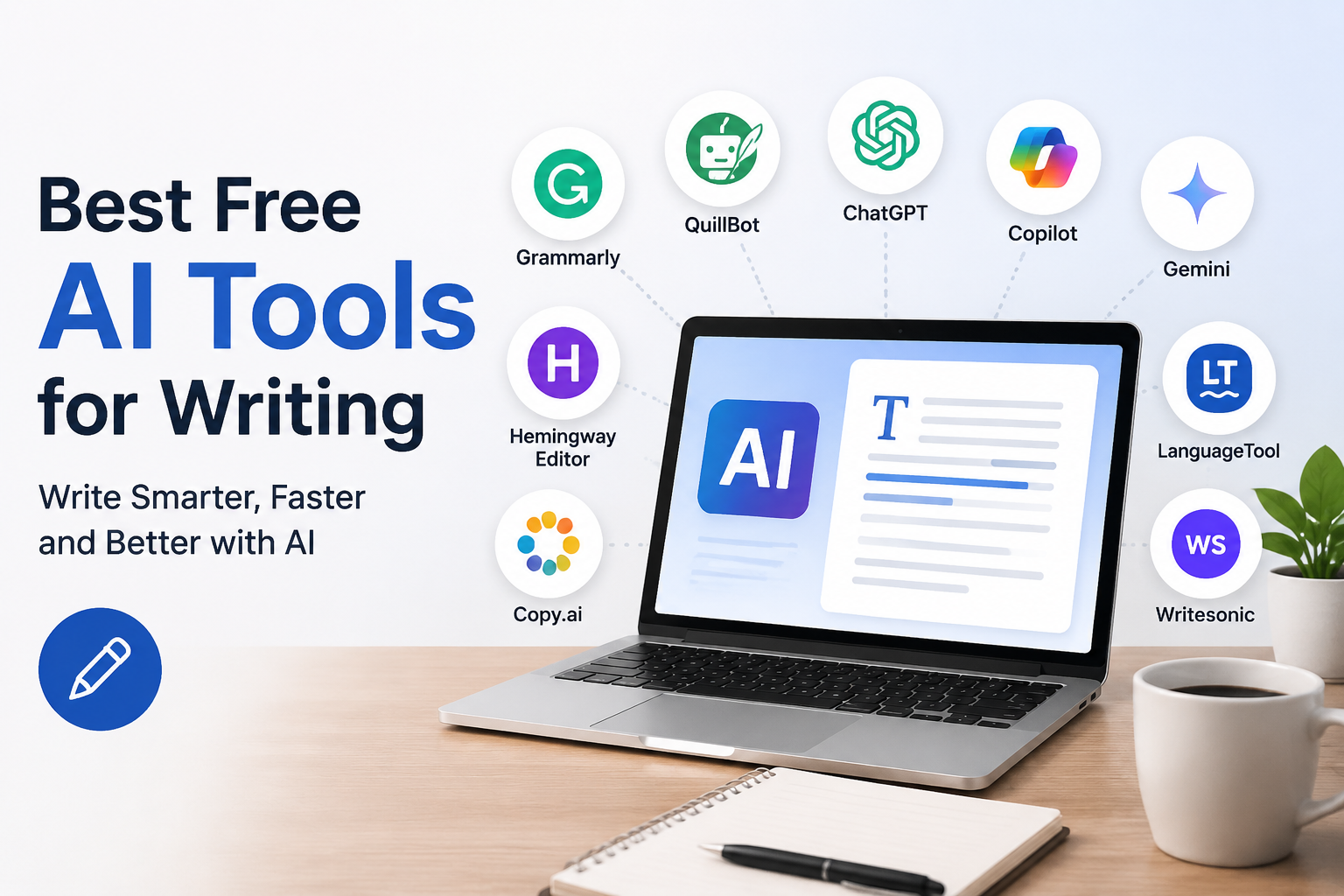
Today, there are many free AI tools that can help with writing. Some are useful for generating ideas, while others are better for improving grammar, rewriting sentences, creating outlines, or making content easier to understand. In my experience, these tools can save a lot of time when they are used correctly.
I do not think AI should completely replace human writing. Instead, I see it as a helpful writing assistant. I can use AI to overcome writer’s block, improve my sentences, and organize my ideas while still adding my own thoughts and personal experience.
In this article, I will share some of the best free AI tools for writing and explain how I personally find them useful.
ChatGPT
ChatGPT is one of the first AI writing tools I would recommend to anyone who wants help with writing. It can be used for many different writing tasks, which makes it useful for students, bloggers, freelancers, and professionals.
I can use ChatGPT to generate article ideas, create outlines, rewrite paragraphs, explain difficult topics, and improve the overall structure of my content. If I have an idea but do not know how to begin, I can describe that idea and ask ChatGPT to help me create a starting point.
Another thing I like is that I can ask it to change the writing style. For example, I can request a simple explanation, a professional email, or a friendly blog post.
However, I believe it is important to review AI generated content before publishing it. I prefer adding my own experience and opinions because this makes the final article feel more natural and personal.
Grammarly
Grammarly is another popular tool that I find useful for improving written English. It focuses mainly on grammar, spelling, punctuation, clarity, and writing style.
Sometimes I know exactly what I want to say, but my sentence does not sound natural. Grammarly can help identify these problems and suggest improvements.
The free version provides useful basic writing suggestions. I can use it while writing emails, blog posts, assignments, and other documents.
What I like most about Grammarly is that it can help me notice mistakes that I might otherwise miss. Even if I read my own writing several times, I can still overlook small grammar errors.
For people who are not completely confident about their English writing, I think Grammarly can be a very helpful companion.
QuillBot
QuillBot is especially useful when I want to rewrite or improve existing sentences. It has paraphrasing features that can help make writing clearer and easier to read.
I sometimes write a sentence that sounds too complicated. Instead of completely rewriting it myself, I can use QuillBot to explore different ways of expressing the same idea.
The tool can also be useful for students who want to understand how a sentence can be structured differently. However, I would not recommend using paraphrasing tools simply to copy someone else’s work and change a few words. Good writing should always be based on your own understanding and ideas.
I personally see QuillBot as an editing assistant rather than a replacement for original thinking.
Microsoft Copilot
Microsoft Copilot can also be useful for writing and everyday productivity. It can help generate ideas, summarize information, draft text, and improve written content.
I find this type of AI particularly useful when I need a quick starting point. Sometimes the hardest part of writing is simply getting the first paragraph written. Once I have a starting point, I can usually continue the article more easily.
Copilot can also help with professional writing tasks. For example, I can use it to create an email draft or organize information into a clearer format.
The important thing is to treat the generated response as a draft. I prefer reading it carefully and changing anything that does not match my own style.
Google Gemini
Google Gemini is another AI assistant that can help with writing. It can generate ideas, explain topics, summarize information, and help create different types of written content.
One thing I appreciate about AI tools such as Gemini is the ability to continue a conversation. Instead of writing a completely new request every time, I can explain what I want and then ask for changes.
For example, if I create an article outline, I can ask Gemini to make it more detailed. I can then ask it to simplify a section or make the language more suitable for beginners.
This makes the writing process feel more interactive. Instead of simply receiving one answer, I can gradually improve the content.
Hemingway Editor
Hemingway Editor is a useful option for people who want simple and readable writing. It focuses on identifying complicated sentences, unnecessary words, and areas where the writing may be difficult to understand.
I think this is particularly useful for bloggers because online readers usually prefer content that is easy to read.
Sometimes I become too focused on explaining a topic and accidentally make my sentences longer than necessary. A readability tool can help me notice these issues.
The main benefit for me is that it encourages simpler writing. Instead of trying to sound overly professional, I can focus on explaining the subject clearly.
LanguageTool
LanguageTool is another writing assistant that can check grammar, spelling, punctuation, and style. It supports multiple languages, which makes it useful for people who write in different languages.
I find tools like LanguageTool useful when I am working on longer documents. Small mistakes can easily appear when I am writing quickly, especially when I am focused on ideas rather than grammar.
The free version provides useful basic corrections. It can help improve the quality of emails, articles, assignments, and other written content.
I also like the idea of using a second writing checker because sometimes one tool may not identify every problem.
Copy.ai
Copy.ai is designed more toward marketing and content creation. It can help generate ideas for blog posts, social media content, product descriptions, emails, and other marketing material.
For me, this type of tool can be useful when I need multiple ideas quickly. For example, if I am trying to create content for a website, I can use AI to brainstorm possible topics and approaches.
I would still personalize the final content because marketing writing can easily sound repetitive when it is generated without any personal input.
The best results usually come when I provide clear information about the audience, topic, and purpose of the content.
Writesonic
Writesonic is another AI writing platform that can help with content creation. It is designed for different writing tasks, including blog content, marketing material, and other forms of digital writing.
I think tools like Writesonic can be helpful for people who create content regularly. Instead of starting from a completely blank page, I can use AI to develop an initial structure.
The free usage options may have limits, but they can still be useful for testing the platform and understanding whether it fits my writing needs.
Rytr
Rytr is a simple AI writing assistant that can help generate different types of content. It can be useful for emails, blog ideas, social media posts, descriptions, and other short writing tasks.
I like the fact that tools such as Rytr can make the first stage of writing easier. When I have no idea what to write, generating a few possible ideas can help me choose a direction.
For short content, this can save considerable time. However, I still believe that personal editing is necessary if I want the final result to sound authentic.
How I Use AI Writing Tools
I have learned that the best way to use AI writing tools is not to depend on them for everything. Instead, I use them at different stages of the writing process.
First, I usually think about the topic myself. Then I can use AI to generate ideas or create an outline. After that, I write or develop the main content and use tools such as Grammarly or LanguageTool to check for mistakes.
Finally, I read the entire article myself. This step is important because AI can sometimes produce information that is incorrect, repetitive, or too generic.
I also try to add personal examples and opinions. This is what makes content feel more human.
Benefits of Free AI Writing Tools
The biggest advantage I see is time savings. Writing something from scratch can take a long time, especially when I am struggling with ideas.
AI tools can also help improve productivity. They can give me suggestions when I am stuck and help me organize information more efficiently.
Another benefit is learning. When I use grammar and rewriting tools, I can see different ways to express an idea. Over time, this can help me become a better writer.
Free AI tools are also useful because beginners can experiment without immediately spending money on expensive subscriptions.
Things I Keep in Mind
Although AI writing tools are powerful, I do not consider them perfect. They can make mistakes, misunderstand instructions, or produce writing that sounds repetitive.
I also avoid publishing AI generated content without reviewing it. My goal is not simply to produce more words. I want the content to be useful, understandable, and interesting for real readers.
Privacy is another thing I consider. I avoid putting sensitive personal information into online AI tools unless I understand how that information is handled.
Most importantly, I believe human creativity still matters. AI can provide suggestions, but personal experience, opinions, emotions, and original ideas are what make writing unique.
Final Thoughts
Free AI writing tools have changed the way I approach writing. Instead of seeing them as something that replaces writers, I see them as assistants that can make the writing process easier.
ChatGPT, Grammarly, QuillBot, Microsoft Copilot, Google Gemini, Hemingway Editor, LanguageTool, Copy.ai, Writesonic, and Rytr can all be useful in different situations.
For me, the best approach is to combine AI assistance with human creativity. I can use AI to generate ideas, improve grammar, organize information, and overcome writer’s block. At the same time, I can add my own opinions, experiences, and personality.
If you are new to AI writing tools, I recommend starting with one or two tools instead of trying everything at once. Learn what each tool does well and use it where it actually saves you time.
In my opinion, the future of writing is not simply about AI versus humans. It is about humans using AI intelligently. When I remain involved in the writing process, I can use these tools to become faster and more productive without losing my own voice.